
Contents
Start with a job small enough to finish
ChatGPT is an AI assistant for working with language and information. Depending on the tools available in your account, it can also help with images, files and search. For someone starting in motion design, the most accessible use is often preparation: clarifying an idea, organising a brief and exploring a script.
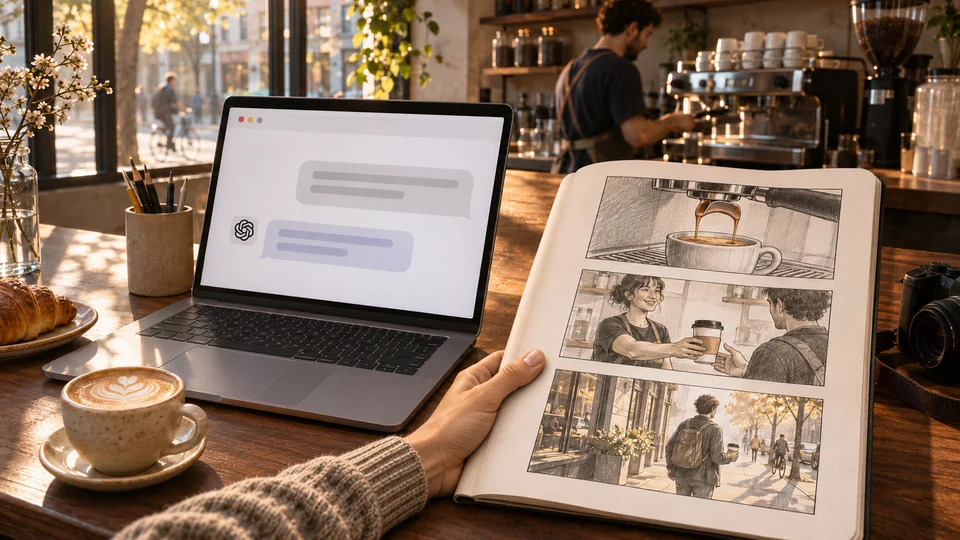
Consider a fictional neighbourhood coffee shop. It needs a short vertical film about taking a coffee to work. There is a counter, a window and a barista, but no production crew. Those constraints are useful. They give you something concrete against which to judge each suggestion.
The first request does not need to produce the finished film. It needs to reveal a workable direction. Three distinct ideas are more useful than a long list of nearly identical slogans. Once you choose one, the next conversation can deal with shots, timing and the information still missing.
Give the assistant decisions it can work with
A prompt is an instruction. For this task it should contain the audience, the intended format, the available material and the shape of the answer. “Make a beautiful advert” leaves all of those decisions unresolved. A more specific request makes the output easier to evaluate.
Suggest three ideas for a vertical coffee-shop film of about 15 seconds. The audience is people walking to work. We can film the counter, the window and the barista. The mood should be calm. For each idea, describe the opening, main action and final shot. Do not invent discounts or product claims. Ask about any information you need first.
This is an illustrative brief, not a universal prompt. Its useful feature is that you can check it. Does an idea fit the location? Can the action be shown in the available time? Does the viewer understand what is being offered? Those questions matter more than how polished the answer sounds.
Turn a direction into a sequence
Choose one idea and narrow the next request. For example, ask for five shots using only the existing location and explain what each shot should communicate. You now have the beginning of a production document: a sequence of visible events rather than a general description of a mood.
Read it aloud and imagine the pictures. A paragraph may sound convincing while describing too many actions for a single shot. A line of voiceover may explain something the image already shows. A final title may need more reading time than the proposed edit allows.
Feedback works better when it names the issue. Instead of “make it stronger”, say that the language is too formal, the opening repeats the ending or the action needs props you do not have. Ask for one change while keeping the other constraints. This makes the conversation easier to compare and steer.
Use it before opening the animation software
The same approach applies to a design brief. You can prepare questions for a client, a list of required assets or the structure of a presentation. The brief should explain who the work is for, what it needs to communicate and what must remain accurate.
Where image input is available, you can ask a focused question about your own frame: which elements compete for attention, or where a heading could fit. Treat the response as another viewpoint. You still need to judge the composition in its actual context and at its intended display size.
Technical explanations need a different check. If an answer describes a software command, compare it with the documentation for your version. A model can describe a plausible feature that is unavailable in your application. Understanding the purpose of an operation is separate from knowing its exact menu location.
Check the facts before refining the wording
Confident language is not evidence. Product specifications, research claims, prices and names need to be checked against reliable material. In the coffee-shop example, make a distinction between information supplied by the owner and details added by the assistant. Remove invented benefits before polishing the script.
Style can also be described through concrete choices. Short sentences, one main object, restrained pacing and little explanatory text are clearer instructions than “make it premium”. A short example of your own writing can help establish tone. Client material should only be shared with a service when you are authorised to do so.
At the end of the conversation, collect the agreed material in a short document. Keep the chosen idea, the sequence, the required assets and the unanswered questions. That is easier to use in production than a long chat full of abandoned alternatives.
From a script to a finished clip

The next stage may use photographs, generated images or a simple scene in After Effects. Decide what each image needs to show before asking a generator to create it. Then test one movement at a time: a camera move, a change of light or a small action by the subject.
The output still needs selection and editing. Check the continuity of the subject, the reading time of titles and the relationship between shots. A tool can supply material, but the film takes shape through those decisions. This is where experience in design and animation becomes directly useful.
For a first project, one complete sequence is enough. It provides something you can review, change and finish. It also makes the next learning step visible: perhaps composition, perhaps timing, perhaps a better way to describe a shot.
Sources and product information
OpenAI: ChatGPT capabilitiesRelated reading
Animation for beginners: where to startHow AI can help you create images and videosSoftware and a computer for getting startedPractical work
I cover this process in practical lessons, using a small project as the working material. The lesson planner shows the available topics, meeting count and total before you submit a request.
View the lesson plan